


Jigger: Cocktail Drink Recipes
4.38.00 Reviews
App Specs
- Version
- 2.11.0
- Updated On
- License
- Free
- Downloads
- 10,000+
- Developer
- Oleh Zasadnyy
- Categories
- Food & Drink
- Platform
- Android
Screenshots

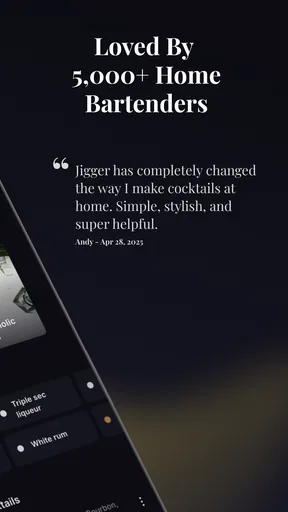
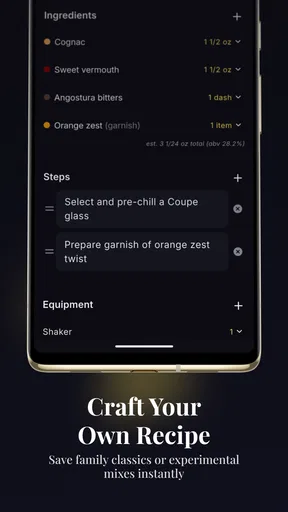
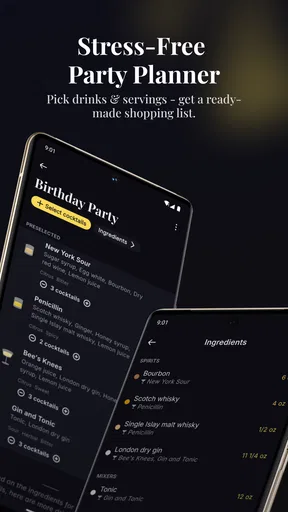
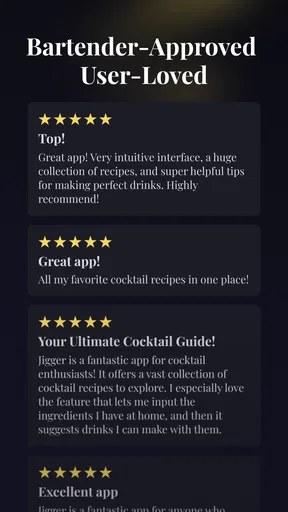
 Analysis by AppCompare
I tried Jigger: Cocktail Drink Recipes as a practical kitchen companion rather than treating it like a simple list of drink ideas. It is a free Food & Drink app from Oleh Zasadnyy, built around cocktail recipes, home-bar ingredients, party planning, and mixology tools. That combination makes it more useful than a random recipe page when I already have bottles and mixers at home, because the starting point is what I can actually use.
The app has a 4.3 average from around 139 ratings and has passed 10 thousand installs, which gives it a modest but credible user base. It is rated for Everyone, runs on Android 7.0 or later, and the current release is version 2.11.0. Those details matter less than the workflow, though: the real question is whether it helps me decide what to make, prepare for guests, and avoid buying ingredients I will barely use.
How Jigger fits into a real home-bar routine
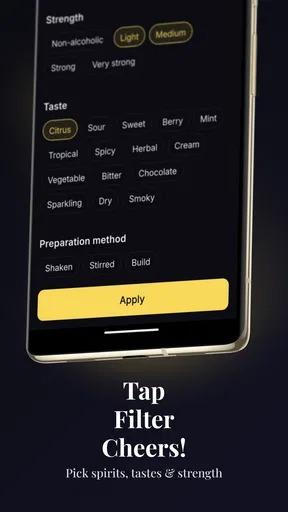
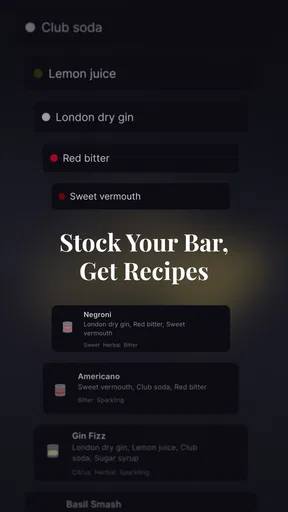
My favorite way to use the app is before shopping. Instead of choosing a cocktail first and then discovering that I need several unfamiliar ingredients, I can begin with the spirits, juices, syrups, and mixers already available. That makes the experience feel closer to a bar inventory assistant than a conventional recipe catalog.
A realistic example is a Friday evening with friends arriving soon. I might have gin, rum, citrus, tonic, and a few bottles that have been sitting untouched. Rather than searching the web one drink at a time, I would use the app to narrow the choices around those ingredients. The benefit is not just speed. It also encourages me to plan a small menu that shares ingredients, which can reduce waste and make preparation less chaotic.
That ingredient-first approach is the app’s clearest identity. Many recipe apps assume I already know the name of the drink I want. Jigger is more helpful when I know the contents of my cabinet but not what they can become. For beginners, that removes some of the intimidation around cocktail making. I do not need to understand every classic recipe before opening the app; I can start from what is within reach.
The party-planning angle adds another useful layer. I can think through the drinks I want to serve before guests arrive instead of improvising each order. In practice, that means deciding whether I want one reliable cocktail for everyone, a small selection for different tastes, or a way to use up a particular bottle. The app is most valuable when it changes the preparation process, not merely when it supplies another recipe card.
Free access and what paid value means here
The app is free to install, so I can explore its basic experience without committing money first. That is important for this type of tool because cocktail apps vary widely: some are little more than searchable recipe pages, while others try to become full bar-management systems. A free starting point lets me find out whether Jigger matches my habits before I decide whether its extra value is worth paying for.
Worth Reading Before You Choose

Flipboard Shows What News Apps Must Do Beyond the Feed

Switching to Android Auto Means Rethinking Your Driving Routine

Google Calendar Makes a Crowded Week Easier to Manage

Ludo King Makes the Most of the Minutes Between Plans

Baby Panda World Brings Quick Play to Modern Phones, but Its Game Library Feels Busy

ESPN’s Live Game View Makes Following Close Games Easier
There are in-app purchases ranging from $3.99 to $24.99 per item. I would treat that range carefully rather than assuming every user needs to spend. The free entry point is enough to judge the central workflow, while the paid side is relevant only if the additional tools or content fit the way I plan drinks. The higher end makes more sense for someone who expects to use the app regularly as a personal mixology toolkit, not for someone who makes a cocktail once every few months.
What I appreciate about this pricing structure is that it separates casual curiosity from serious use. Someone looking for occasional inspiration can begin without paying. Someone building a more organized home bar has the option to consider paid value later. I would not buy anything immediately after installation. I would first add the ingredients I commonly keep, test several searches, and see whether the results genuinely improve my planning.
That trial process is especially important because a paid feature is valuable only if it saves effort repeatedly. A polished recipe collection alone would not justify a purchase for me; free websites already cover that need. The stronger case would be a smoother inventory-to-drink workflow, better party preparation, or tools that help me make consistent decisions when I have several bottles available.
Where the app delivers more than a recipe search
The first non-obvious strength is the way an ingredient-based search can expose combinations I would overlook. I often buy a bottle for one recipe and then forget about it. A normal search engine tends to return famous cocktails, which may require ingredients I do not own. Jigger’s bar-oriented approach is better suited to the opposite problem: I have something specific and want to turn it into a reasonable drink.
The second strength is planning around overlap. If I am hosting, I do not want five cocktails that each require a different syrup, garnish, or fortified wine. I would use the app to identify a compact group of recipes with shared foundations, then choose the drinks that cover different preferences. This is a practical trade-off between variety and preparation time, and it is the kind of decision a basic recipe list does not help me make.
The third insight is that the app can be used as a learning aid without forcing me into a formal course. I can compare recipes that use the same base spirit and notice how citrus, sweetness, dilution, and carbonation change the result. For a beginner, that is more useful than memorizing cocktail names. It gradually builds an understanding of why a drink works, even when the app is being used casually.
I also find the bar-inventory mindset helpful for reducing impulse purchases. Before buying another specialty bottle, I can check whether the bottles already at home support enough recipes to justify keeping them. That does not eliminate shopping, but it makes the home bar feel more intentional. The app becomes a decision filter: use what I have, identify the missing ingredient that unlocks several options, and avoid collecting bottles with no clear role.
Small workflow choices that make it more useful
I would begin by entering or organizing the ingredients I actually use, not every item I might buy someday. A short, accurate home-bar list produces more relevant suggestions than an ambitious inventory full of bottles that are not really available. If the app is treated as a current snapshot of the kitchen, its recommendations become more practical.
For parties, I would choose recipes several hours ahead and write down the shared ingredients mentally or on a shopping list. The app can help with selection, but it does not replace judgment about quantities, glassware, ice, or how much preparation I can realistically handle. The best workflow is to use Jigger for the menu, then do a separate physical check of supplies.
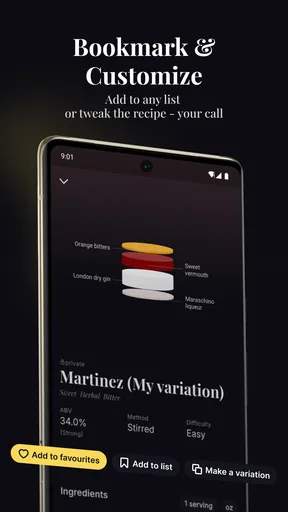
Another useful habit is to keep a simple “repeat” shortlist outside the search process, whether through the app’s available organization tools or my own notes. A recipe that looks attractive is not necessarily one I will make again. After a few sessions, I would prioritize drinks that match my actual taste and equipment rather than continually browsing novelty recipes.
I would also compare two or three options before shopping. If one drink needs a single missing mixer and another requires several new products, the first may be the better choice even if the second sounds more impressive. This is where Jigger can support sensible budgeting, but only when I use it as a planning tool rather than a reason to expand the bar.
Trade-offs I noticed during use
The ingredient-first concept is helpful, but it can feel less direct when I already know exactly what I want. If I am looking for one specific classic cocktail, a focused recipe website or a quick web search may be faster. Jigger earns its place when the question is “What can I make with this?” rather than “How do I make that named drink?”
There is also a difference between discovering a recipe and executing it well. A cocktail can be technically simple but still depend on fresh citrus, suitable ice, accurate measuring, or the right glass. The app can guide the selection process, yet it cannot make poor ingredients taste fresh or compensate for a rushed preparation. Beginners should expect a little trial and error, especially when balancing sweet and sour flavors.
The party-planning idea has a similar limitation. Planning a menu is easier than scaling service for a crowd. I would not assume that selecting a recipe automatically solves batch preparation, timing, chilling, or safe serving. For a small gathering, the app can organize my thinking. For a large event, I would still need a separate written plan and careful quantity calculations.
The free price is attractive, but the in-app purchase range means I would pay attention before unlocking anything. The right question is not whether the app has premium options, but whether those options address a repeated problem in my own routine. If I only want occasional inspiration, the free experience may be sufficient. If I want a more committed mixology system, I would evaluate the paid value after using the core workflow for a while.
Another trade-off is focus. Jigger is designed around cocktails and home-bar use, so it is not the right choice for general meal planning, non-alcoholic cooking, wine education, or broad beverage tracking. Someone seeking a complete household food organizer would be better served by a wider app. This one works because it stays close to the cocktail-making problem.
Who will get the most value
I would recommend Jigger first to people who own a few spirits and mixers but regularly run out of ideas. It is especially suitable for beginners who want guidance without starting with a complicated bartending textbook. The ingredient-based perspective makes experimentation approachable, and the party tools give the app a purpose beyond solitary recipe browsing.
It is also a good fit for a host who wants to prepare a coherent drink menu. The ability to think from available ingredients can help keep shopping under control and reduce the number of unrelated bottles needed for one evening. That is a practical advantage for anyone who cares about preparation time as much as presentation.
More experienced home bartenders may still find value in the discovery process, particularly when they want to use neglected bottles. However, experts who already maintain detailed inventories, calculate batches, and know their preferred recipes may find a dedicated spreadsheet, notebook, or specialized bar-management system more flexible. Jigger is strongest as an accessible bridge between casual drinking and organized mixology.
I would skip it if I rarely make cocktails, dislike browsing recipe collections, or want precise professional bar operations. I would also skip paid upgrades unless the free experience proves that the app changes my behavior in a useful way. There is no reason to spend simply because a premium option exists; the value has to come from repeated convenience.
My buy-or-skip verdict
My verdict is to try the free version first. It offers a sensible way to explore cocktail ideas from the bar I already have, and the combination of recipes, planning, and mixology guidance gives it a clearer purpose than a generic drink search. I would use it before shopping, before hosting, and whenever an unopened bottle needs a practical role.
I would consider an in-app purchase only after confirming that the extra value supports a regular routine. For an occasional cocktail maker, free access is likely the logical stopping point. For someone who hosts often or wants a more structured home-bar workflow, paid features may be worth examining within the stated $3.99-to-$24.99 range, but the decision should follow actual use rather than anticipation.
Overall, Jigger is not a replacement for bartending skill, a shopping list, or careful party logistics. It is a focused planning companion that helps connect ingredients to possibilities. If your main problem is deciding what to make with the bottles you already own, this is a genuinely useful app to test before spending anything. If your needs are broader than cocktails or already covered by a well-maintained personal system, the free download may be interesting, but it probably will not become essential.
Pros
- Clear step-by-step instructions make recipes easy to follow.
- Useful ingredient substitutions help when your home bar is incomplete.
- Cocktail categories make it quick to browse by style or occasion.
- Recipe visuals help users judge the drink before mixing it.
- Suitable for beginners while still offering variety for enthusiasts.
Cons
- Some recipes may require uncommon spirits or specialty ingredients.
- Ingredient costs can add up when trying many different cocktails.
- Not every recipe may include detailed nutrition or calorie information.
- The app’s usefulness depends on having accurate bar inventory at home.
- Some cocktail variations may feel too similar for experienced mixologists.
FAQs for Jigger: Cocktail Drink Recipes
What is Jigger: Cocktail Drink Recipes?
Jigger: Cocktail Drink Recipes is a cocktail-making app designed to help users discover, understand, and prepare mixed drinks at home. It provides recipe ideas, ingredient lists, preparation instructions, and guidance on measurements. The app is useful for beginners who need step-by-step help, as well as more experienced drink makers looking for inspiration or new combinations to try.
Does Jigger include recipes for beginners?
Yes, Jigger is suitable for beginners because its recipes generally explain the ingredients, proportions, and preparation process in a straightforward way. Instead of requiring advanced bartending knowledge, the app helps users follow each drink step by step. It can also be useful for learning basic cocktail techniques, although users should still measure carefully and follow responsible drinking practices.
Can I find cocktails based on the ingredients I already have?
Jigger is particularly helpful when you want to make a drink using ingredients already available at home. Depending on the recipe and search features available in your version, you can explore cocktails by spirit, style, or ingredients. This makes it easier to discover alternatives when you do not have every item listed in a traditional cocktail recipe.
Does Jigger work offline?
Offline availability may depend on the app version and the specific content you have already loaded. Some recipe information may remain accessible without an internet connection, while features such as updates, account synchronization, or online content can require connectivity. If you plan to use Jigger at a party, in a store, or behind a bar, it is sensible to open the recipes beforehand.
Is Jigger: Cocktail Drink Recipes free to download?
Jigger may be available to download at no initial cost, but some features, recipes, or additional content can depend on the platform’s current pricing model. Before downloading, check the Google Play Store or Apple App Store listing for subscriptions, in-app purchases, advertising, and device compatibility. Always review those details carefully so you know what access the free version provides.


